XP-PEN Deco Mini7 V2 vs Deco 640: Which Drawing Tablet Is Better in Pakistan?
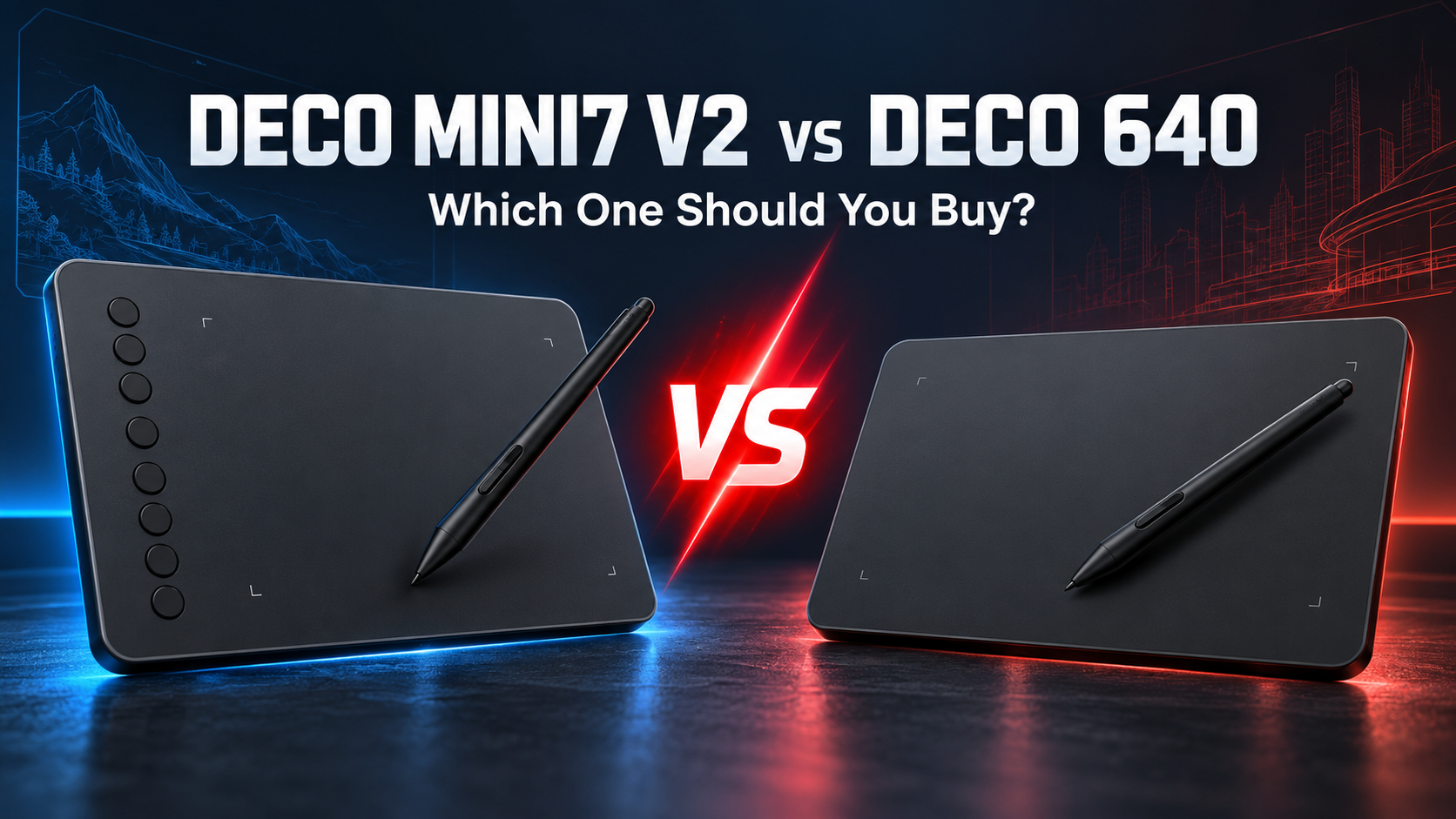
Choosing between the XP-PEN Deco Mini7 V2 and the newer Deco 640 can be difficult because both are affordable screenless drawing tablets designed for students, beginners and creative users. However, they are not simply two versions of the same product. The Deco Mini7 V2 offers a slightly larger working area and eight shortcut keys, while the Deco 640 delivers upgraded 16,384-level pen pressure at a lower listed price.

This detailed comparison covers drawing space, stylus performance, portability, compatibility, workflow and value so you can select the right XP-PEN drawing tablet in Pakistan.
Deco Mini7 V2 vs Deco 640: Quick Comparison
| Feature | XP-PEN Deco Mini7 V2 | XP-PEN Deco 640 |
|---|---|---|
| Active Area | 7 × 4.37 inches | 16 × 9 cm, approximately 6.3 × 3.5 inches |
| Pressure Sensitivity | 8,192 levels | 16,384 levels |
| Tilt Support | Up to 60° | Up to 60° |
| Shortcut Keys | 8 | Not listed |
| Stylus | P05D battery-free stylus | P01 16K battery-free stylus |
| Interface | USB-C | USB-C |
| Android Support | Android 6.0 or later | Android 10.0 or later |
| Listed Price* | Rs. 14,500 | Rs. 10,900 |
| Best For | Students and shortcut-based workflows | Beginners seeking better pen sensitivity |
*Prices may change. Check the linked product pages for current pricing and availability.
XP-PEN Deco Mini7 V2 Overview
The XP-PEN Deco Mini7 V2 is a compact tablet with a 7 × 4.37-inch active area. It provides more drawing room than many basic entry-level models without becoming difficult to carry. Its 307g weight and slim body make it suitable for students who move between home, university, studio and office.
The tablet uses a battery-free P05D stylus with 8,192 pressure levels. Pen pressure changes line thickness and opacity according to how firmly you draw, helping brushes feel more natural in supported software. The pen also offers up to 60 degrees of tilt for shading and angled brush effects.
Its biggest advantage is the set of eight customizable shortcut keys. Users can assign functions such as undo, redo, zoom, brush size, hand tool and eraser. These buttons can save time in Photoshop, Illustrator, Krita, Clip Studio Paint and other creative applications.
The Deco Mini7 V2 supports Windows, macOS, Linux, Android and Chrome OS. Its broad compatibility makes it a flexible option for digital art, photo editing, online teaching, handwriting and remote learning.
XP-PEN Deco 640 Overview
The XP-PEN Deco 640 is a newer budget-focused model with a 16 × 9 cm active area. Its drawing surface is smaller than the Mini7 V2, but the 16:9 proportion maps naturally to many modern laptop and desktop displays.
The highlight is its P01 16K stylus with 16,384 pressure levels—twice the advertised sensitivity of the Mini7 V2. It also supports up to 60 degrees of tilt and offers 5,080 LPI resolution with a report rate of at least 220 RPS. These specifications make it a strong option for users who want responsive pen performance at an accessible price.
The Deco 640 is compatible with Windows 7 or later, macOS 10.13 or later, Android 10 or later, Chrome OS 88 or later, and Linux. It includes a USB-C connection, ten replacement nibs and adapters for easier device connectivity.
Unlike the Mini7 V2, the Deco 640 product specifications do not list customizable shortcut keys. Users who depend heavily on express buttons may need to keep a keyboard nearby.
Drawing Area and Comfort
Working area has a noticeable effect on the drawing experience. The Mini7 V2 provides more physical room, which can make long strokes, handwritten notes and detailed illustrations feel more comfortable. Its larger surface may also require less zooming when working on complicated designs.
The Deco 640 is more compact. Smaller tablets require less hand and arm movement, which some users find faster for photo retouching, signatures and basic drawing. They also take up less space beside a laptop and are easier to fit into a backpack.
For artists who prefer broader movements, the Mini7 V2 wins. For users who value a compact desk setup, the Deco 640 is likely the better fit.
Pen Pressure and Drawing Performance
Both tablets provide tilt support and battery-free pens, so neither stylus needs charging. The Deco 640 has the specification advantage with 16,384 pressure levels compared with 8,192 on the Mini7 V2.
Higher pressure sensitivity can provide more gradual variation between light and heavy strokes. However, pressure levels are not the only factor that determines drawing quality. Brush settings, software, hand control and practice remain important. Beginners can create professional work with either model.
Choose the Deco 640 if the upgraded pen is your priority. Choose the Mini7 V2 if a larger surface and physical shortcut keys matter more than the difference in pressure levels.
Shortcut Keys and Workflow
The Mini7 V2 clearly wins this category. Its eight keys can reduce repetitive keyboard use and make editing faster. This is particularly useful for graphic designers, illustrators and students who work for several hours at a time.
The Deco 640 offers a simpler surface without listed express keys. This clean design is easy to understand, but users must access shortcuts through the keyboard or software interface. For basic drawing, online teaching and handwritten notes, this may not be a major problem.
Software and Device Compatibility
Both tablets work with popular creative applications, but users should confirm software and device requirements before purchasing. The Mini7 V2 supports older Android versions, beginning from Android 6.0 according to its product listing. The Deco 640 requires Android 10.0 or later.
For Chromebook users, both products list Chrome OS support. Windows, macOS and Linux users can also use either model after installing the appropriate XP-PEN driver where required.
Which Tablet Is Better for Students?
The Mini7 V2 is the better all-round student tablet because of its larger active area and eight shortcut keys. It is suitable for design assignments, digital notes, diagrams, online classes and beginner illustration.
However, students with a limited budget should strongly consider the Deco 640. Its listed price is lower, while it still provides excellent pressure sensitivity, tilt support and broad compatibility. It can be especially valuable for users learning digital art before investing in a larger tablet or pen display.
Which Tablet Is Better for Photoshop and Graphic Design?
For regular Photoshop and Illustrator work, the Deco Mini7 V2 has the more convenient workflow. Its larger area and programmable keys make repeated editing tasks quicker.
The Deco 640 remains a capable choice for photo retouching, logo sketches, social-media graphics and basic illustration. Its 16K pressure stylus is impressive for the price, but the lack of shortcut keys may slow users who prefer working without a keyboard.
You can explore additional guides and buying advice through the XP-PEN Pakistan blog or browse more XP-PEN graphic tablets.
Price and Value in Pakistan
At the time of comparison, the Deco Mini7 V2 was listed at Rs. 14,500, while the Deco 640 was listed at Rs. 10,900. That price difference makes the Deco 640 an attractive option for beginners who want modern pen specifications without spending more.
The Mini7 V2 costs extra but adds practical value through a larger drawing area and eight shortcut keys. The better value therefore depends on workflow rather than specifications alone.
Final Verdict: Which One Should You Buy?
Choose the XP-PEN Deco Mini7 V2 if you want a larger active area, eight shortcut keys and wider compatibility with older Android devices. It is the better choice for students, graphic designers and users who want a faster creative workflow.
Choose the XP-PEN Deco 640 if you want the lowest price, 16,384 pressure levels, tilt support and a compact modern tablet. It offers stronger value for beginners, casual artists and buyers with a limited budget.
Overall, the Mini7 V2 is the more complete productivity tablet, while the Deco 640 is the stronger budget deal. If you are still unsure which model suits your device or software, contact XP-PEN Pakistan before placing your order.